

InstroELoad provides a unified interface for programmable electronic loads. This class is initialized with a vendor-specific driver (BK85XXB, …), and provides the vendor-agnostic API (set_mode, set_level, get_voltage, …).
Creating an InstroELoad
Supported Vendors
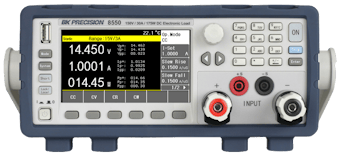
B&K Precision 85xx
Example
More examples found in ExamplesDetails
The following presents details about theInstroELoad. Specific driver details can be found on their pages.
Driver Composition
AnInstroELoad is built from a concrete driver:
BK85XXBowns the connection setup and vendor-specific command mapping.InstroELoadowns the category-level workflow: measurements, commands, publishers, the background daemon.
Lifecycle
The typical InstroELoad workflow:- Construct: instantiate the vendor driver and pass it to
InstroELoad. open(): establishes the VISA connection.- Configure and measure: set operating mode, level, range, and read measurements.
start(): begins a periodic background daemon. (Optional)stop(): ends the background daemon (if started).close(): disconnects from hardware.
Operating Modes
Electronic loads can operate in four modes:- CC (Constant Current): the load draws a constant current regardless of voltage
- CV (Constant Voltage): the load maintains a constant voltage across its terminals
- CR (Constant Resistance): the load simulates a constant resistance
- CP (Constant Power): the load draws constant power
Mode Configuration RequiredThe operating mode must be set using
set_mode() before you can configure the level or range. Not all electronic loads support all four modes. Consult your instrument’s manual.set_range() applies to CC and CV modes only; CP and CR are auto-ranged from the level value (on the BK85XXB driver, calling set_range() in CP or CR mode raises NotImplementedError).Init from a Config File
InstroELoad can also be constructed directly from a JSON config file, which removes the need to write any Python setup code:
bench_eload.json contains: