

InstroDMM provides a unified interface for digital multimeters. This class is initialized with a vendor-specific driver (Agilent34401A, Keysight34461A, Keithley2400, …), and provides the vendor-agnostic API (set_measurement_function, read, set_range, …).
Creating an InstroDMM
Supported Vendors
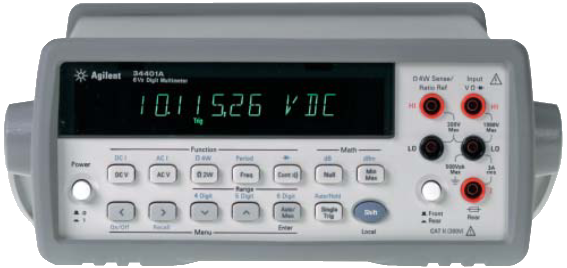
Agilent/HP/Keysight 34401A
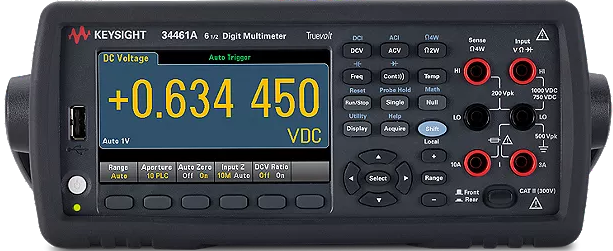
Keysight 34461A
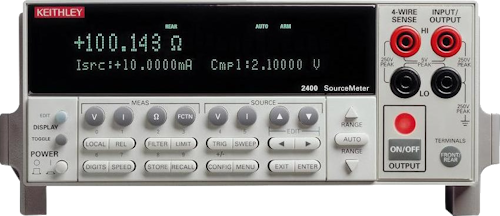
Keithley 2400
- Simulated: no hardware required; pairs with the bundled DMM simulator (
SimulatedDMM)
Example
More examples found in ExamplesDetails
The following presents details about theInstroDMM. Specific driver details can be found on their pages.
Driver Composition
AnInstroDMM is built from a concrete driver:
Agilent34401Aowns the connection setup and vendor-specific command mapping.InstroDMMowns the category-level workflow: measurements, commands, publishers, the background daemon.
Lifecycle
The typical InstroDMM workflow:- Construct: instantiate the vendor driver and pass it to
InstroDMM. open(): establishes the VISA connection.- Configure measurement: set the measurement function (e.g. DC voltage), and optionally resolution, aperture, and range.
read(): trigger a measurement and get the value. Theread_<function>()shorthands (e.g.read_dc_voltage()) fold steps 3 and 4 into one call.close(): disconnect from hardware.
start() / stop(), but it is an atypical use case for a DMM. See Two ways to get data for more.
Measurement Functions
InstroDMM supports these measurement functions (availability depends on the driver):
- DC Voltage
- AC Voltage
- DC Current
- AC Current
- 2-Wire Resistance
- 4-Wire Resistance
set_measurement_function() before configuring resolution, aperture, range, or calling read().
Single-call reads
When you only need a value and don’t need to tune resolution, aperture, or range, use the per-function shorthand instead of the two-step sequence:read_dc_voltage(), read_ac_voltage(), read_dc_current(), read_ac_current(), read_resistance() (2-wire), and read_four_wire_resistance().
Each selects the function only when it isn’t already active, so repeated calls in the same function cost a single measurement and publish set_measurement_function.cmd once. They publish exactly the same channels as set_measurement_function() + read().
Init from a Config File
InstroDMM can also be constructed directly from a JSON config file, which removes the need to write any Python setup code:
bench_dmm.json contains: