


 instro
Fluke8845A#
A driver for InstroDMM (unstable)
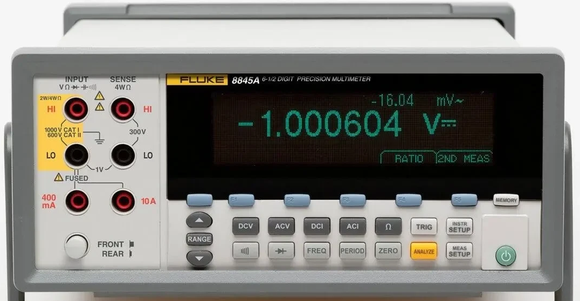
The Fluke8845A provides a driver that can be used to instantiate an InstroDMM. It ships in the instro-unstable package (pip install 'instro[unstable]') while its API settles.
The 8845A’s default 8845 command set is compatible with the Agilent 34401A, so this driver runs the Agilent34401A driver’s commands, with its own error messages. It supports the same functions: DC/AC voltage, DC/AC current, 2- and 4-wire resistance, range, and digits.
Meter setup#
Make these settings on the meter’s front panel before connecting. Neither can be changed over the remote interface, and the meter keeps both through a power cycle.
Warning
The meter must use the 8845 command set. The driver sends Agilent 34401A commands, which the Fluke 45 emulation command set does not accept.
Select the 8845 command set. Press INSTR SETUP, then COMMANDS, then 8845.
Over RS-232, select COMPUTER mode. Press INSTR SETUP, PORT IF, RS232, COMP/TERM ECHO, then COMPUTER. In TERMINAL mode the meter echoes every command and prints a NNN> prompt, which the driver reads as the reply, so open() fails with an error like Fluke 8845A reported error: *CLS.
Over RS-232, match the serial line to instro’s defaults. In the same RS232 menu, set BAUD RATE to 9600, PARITY DATA BIT to NONE 8B DATA, FLOW CONTROL to NONE, and EOL to CR LF. The meter always uses 1 stop bit. To use other settings, pass a VisaConfig with a matching SerialConfig instead of a resource string.
Creating an InstroDMM with Fluke8845A#
from instro.unstable.dmm.drivers import Fluke8845A
from instro.dmm import InstroDMM

dmm = InstroDMM(
    name="myDMM",
    driver=Fluke8845A("ASRL6::INSTR"),
)
Parameters and methods specific to Fluke8845A can be found in the SDK.